
How it works
One swap, from the customer's dock to the scale house
Follow one request: a full trailer at a customer's dock. The same ticket number carries it from the first tap to the last weight.
01
The customer sends the request
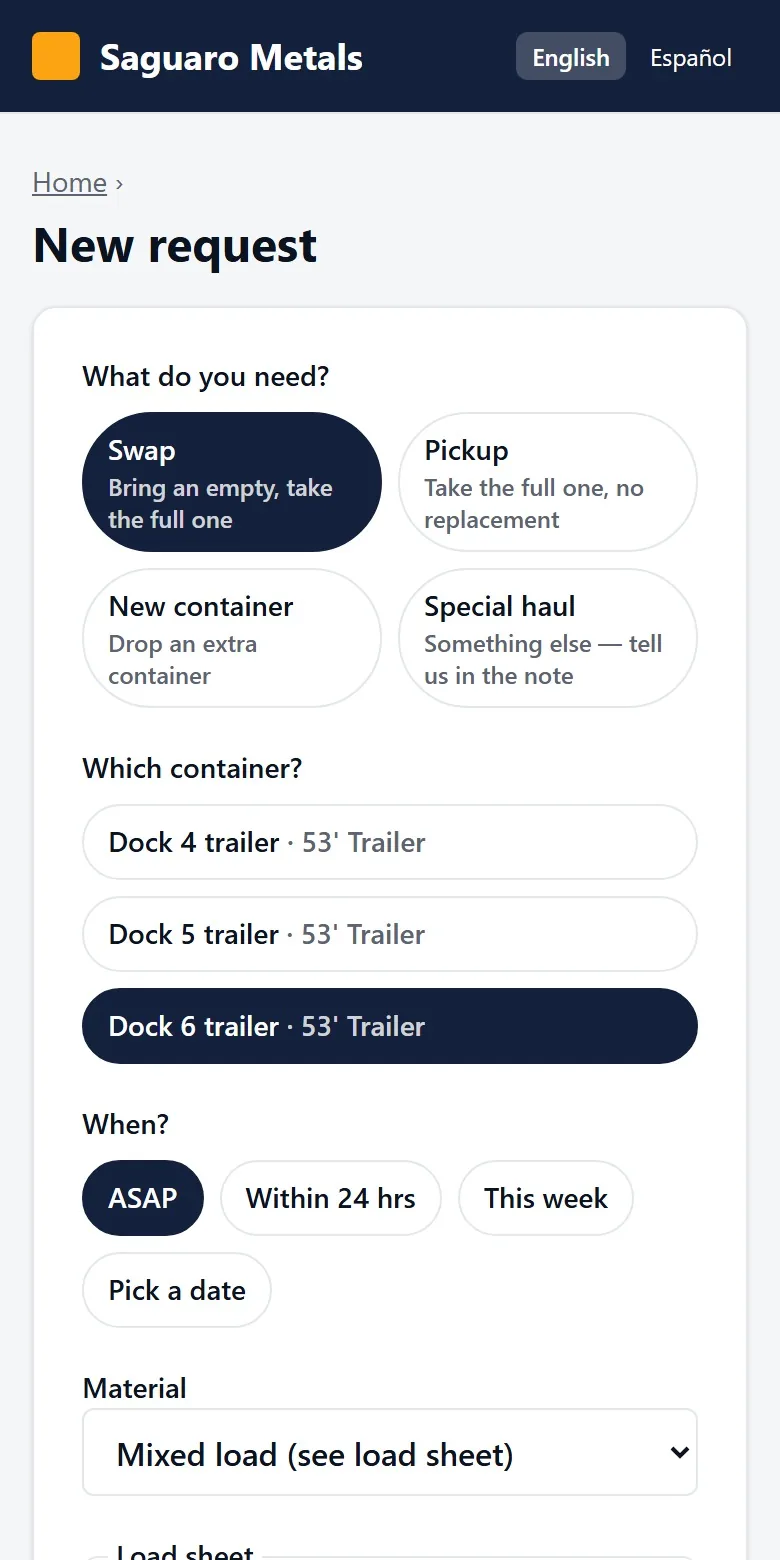
The customer signs in with a code texted to their phone. There is no password to remember. They see their own sites and containers, with how many days each has been on site.
They tap Swap or Pickup on the full one, choose ASAP, within 24 hours, this week or a date, and send. If their site records weights, they add the load sheet from their own scale.
The customer is toldThe customer gets a ticket number and a receipt by text.
No signal on the dock? The request is saved on the phone and goes out when the signal returns. One ticket, never a duplicate.
02
Dispatch sees it at once
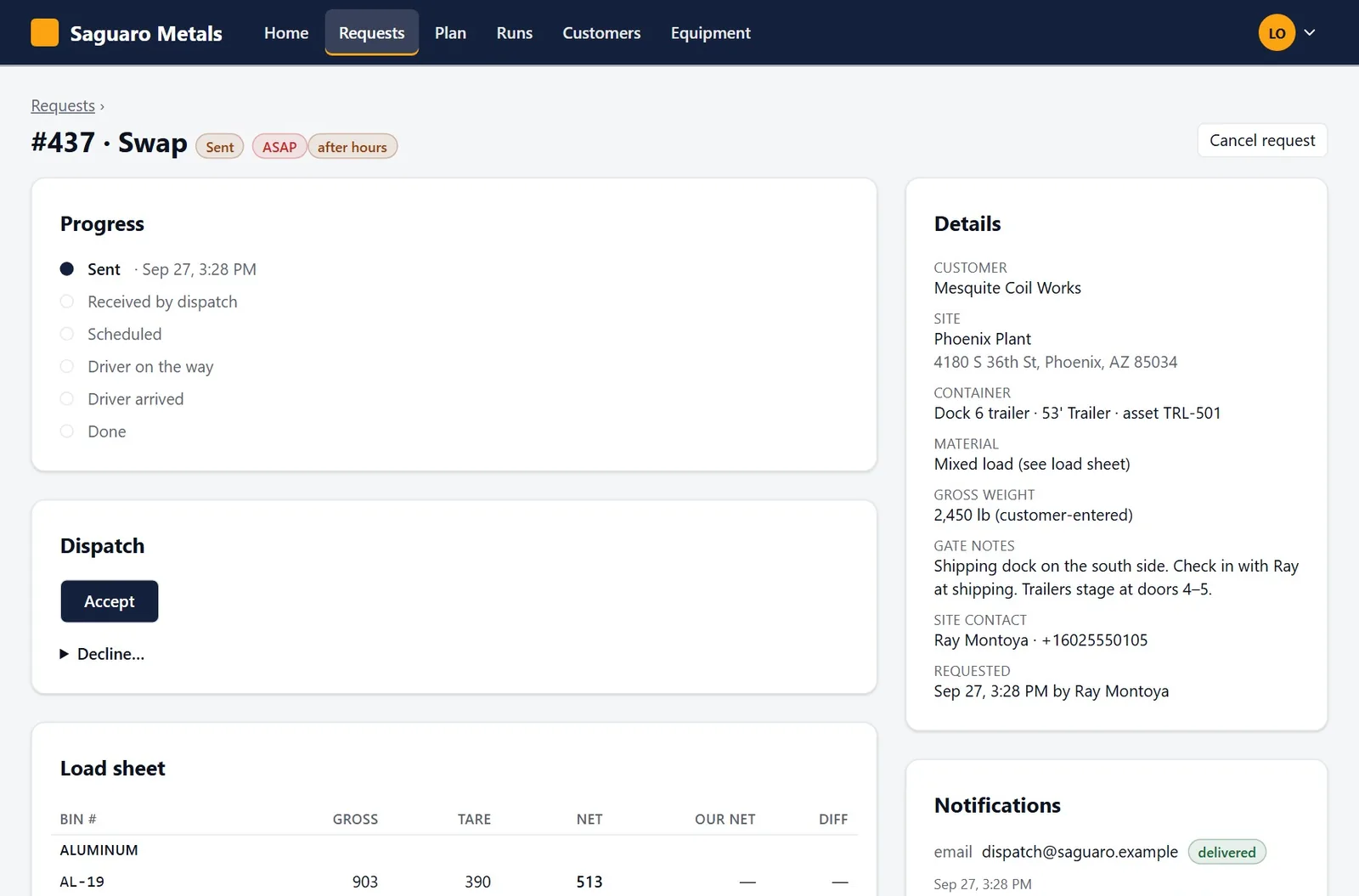
The request arrives in the dispatch queue, and by email to your dispatch inbox and the account's sales rep. ASAP requests are marked in red and requests sent after hours are flagged.
Dispatch accepts it, or declines it with a reason the customer sees.
The customer is toldThe customer sees “Received by dispatch” on the progress line.
If the dispatch email is not confirmed delivered within ten minutes, BinCall texts your dispatch phones and the rep.
03
Tomorrow's run is built and published
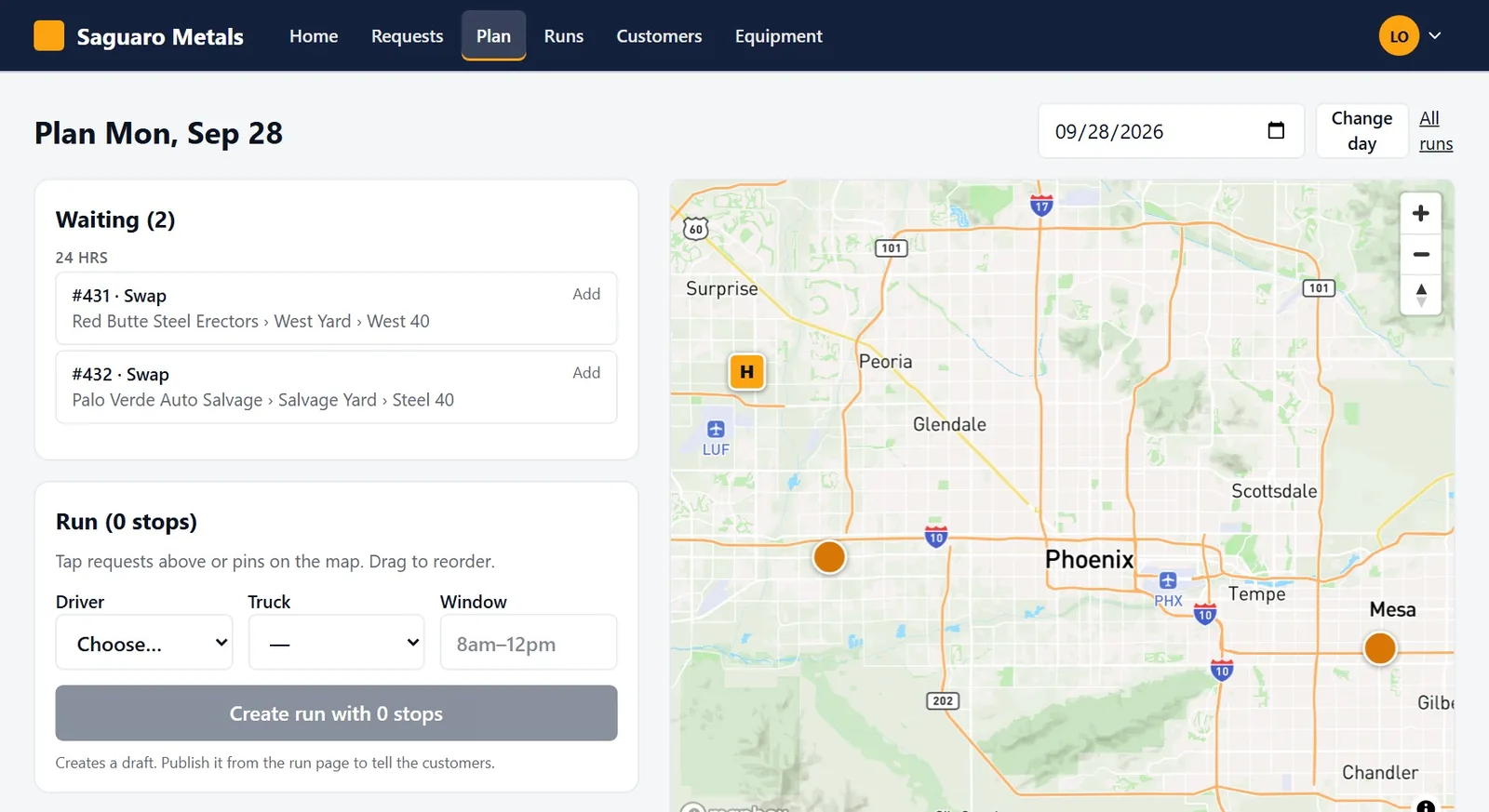
Accepted requests wait in the planner, on a list and on a map. Dispatch adds them to a run, drags the stops into order, and picks the driver, the truck and the window.
Publishing the run tells every customer on it. The run sheet prints one page per driver for anyone who still wants paper.
The customer is toldThe customer gets the date, the window and the driver's first name.
04
The driver reports in
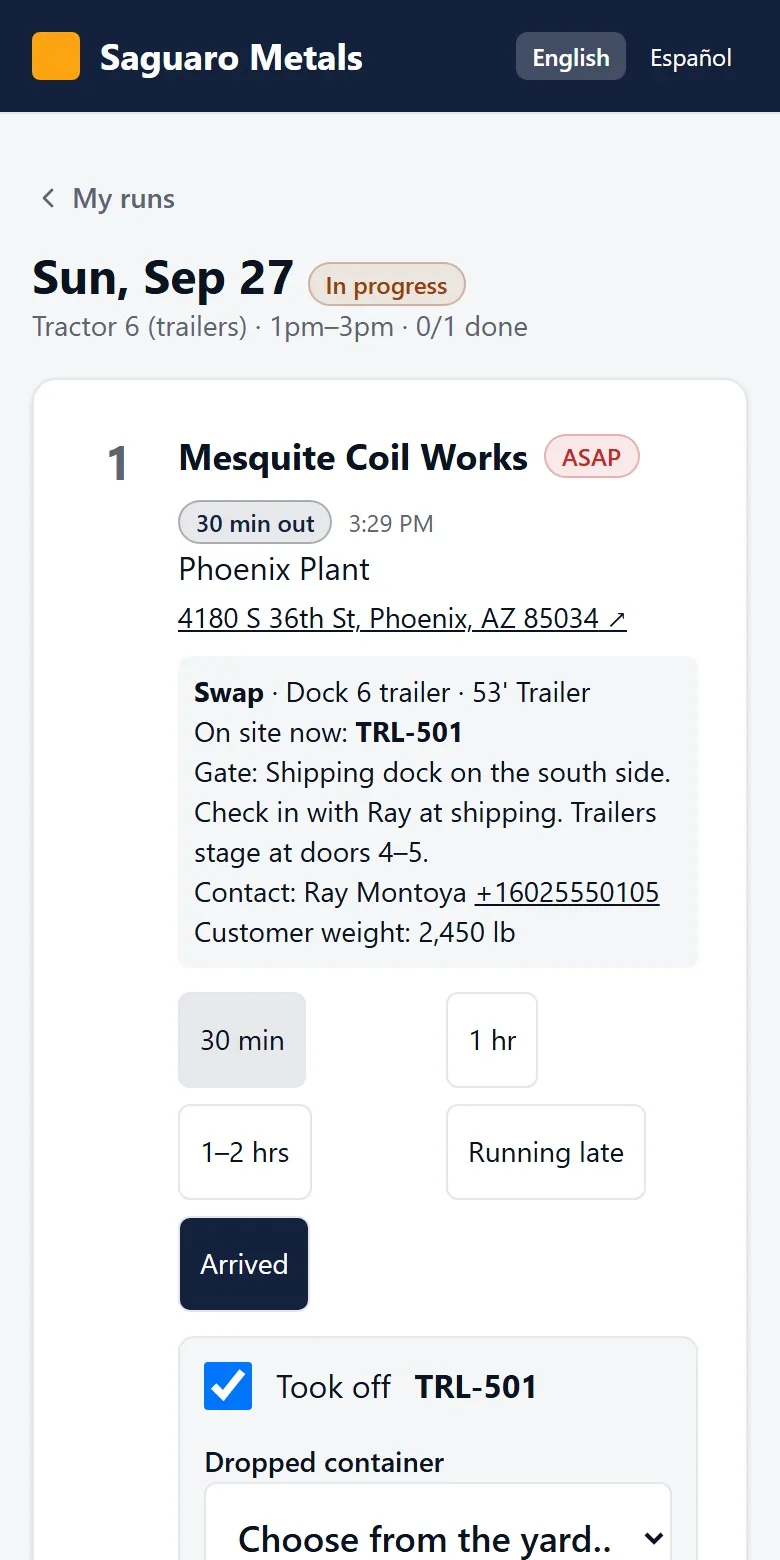
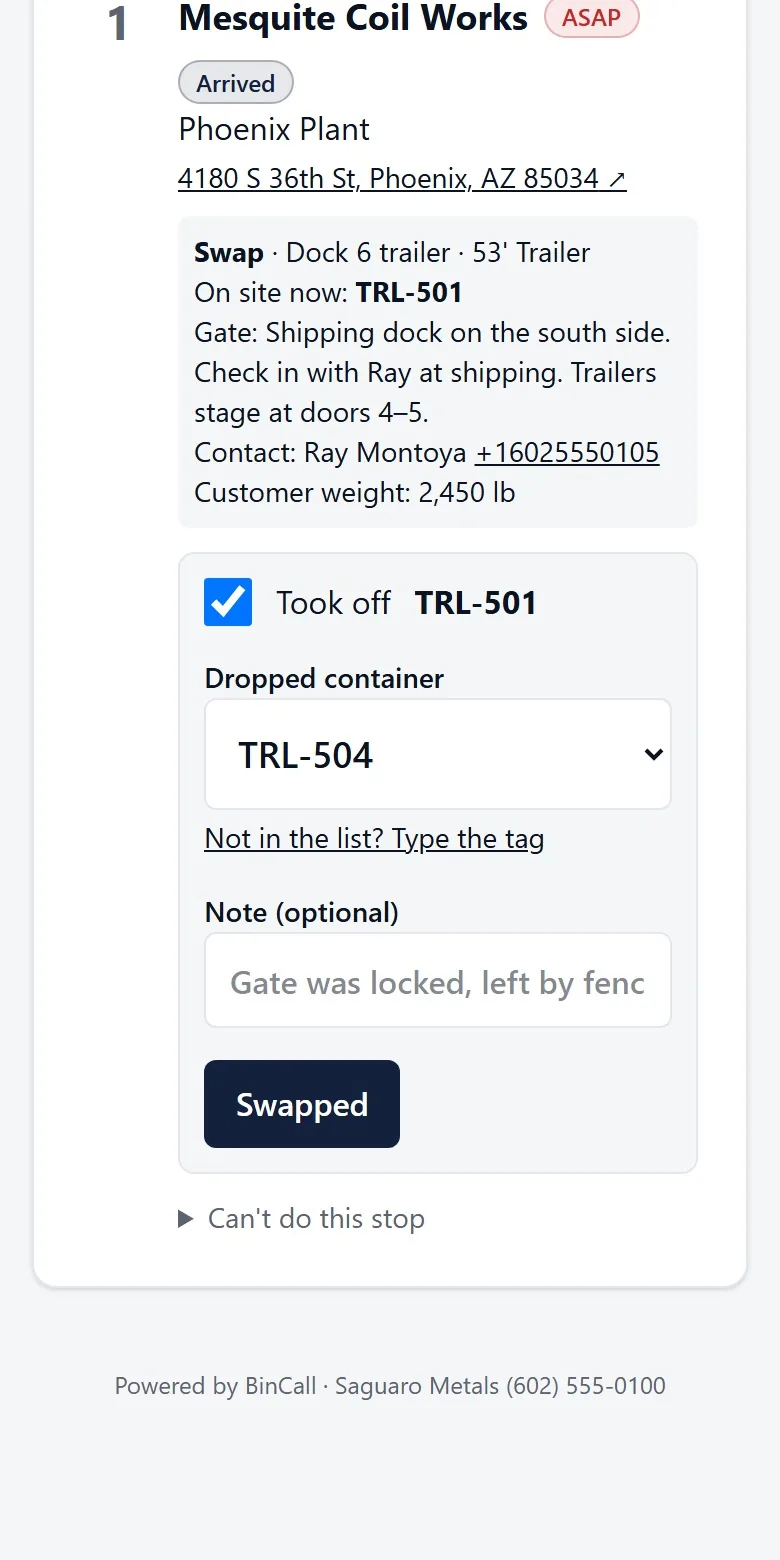
The driver opens the run on a phone. Each stop shows the address, what to do, the container on site, the gate notes and a contact to call.
One tap sends 30 minutes, 1 hour, 1 to 2 hours, running late or arrived to everyone at that site.
The customer is told“Driver is about 30 minutes out,” then “Driver arrived.”
05
The swap is recorded
The driver confirms the tag that came off and picks the tag that went on. BinCall moves the container records by itself: the full one goes back to the yard and the empty one shows on site at day zero.
If the stop cannot be done, the driver says why. Dispatch sees the reason and the request goes back on the waiting list.
The customer is told“Done,” with the container that left and the one that arrived.
06
The scale house reweighs
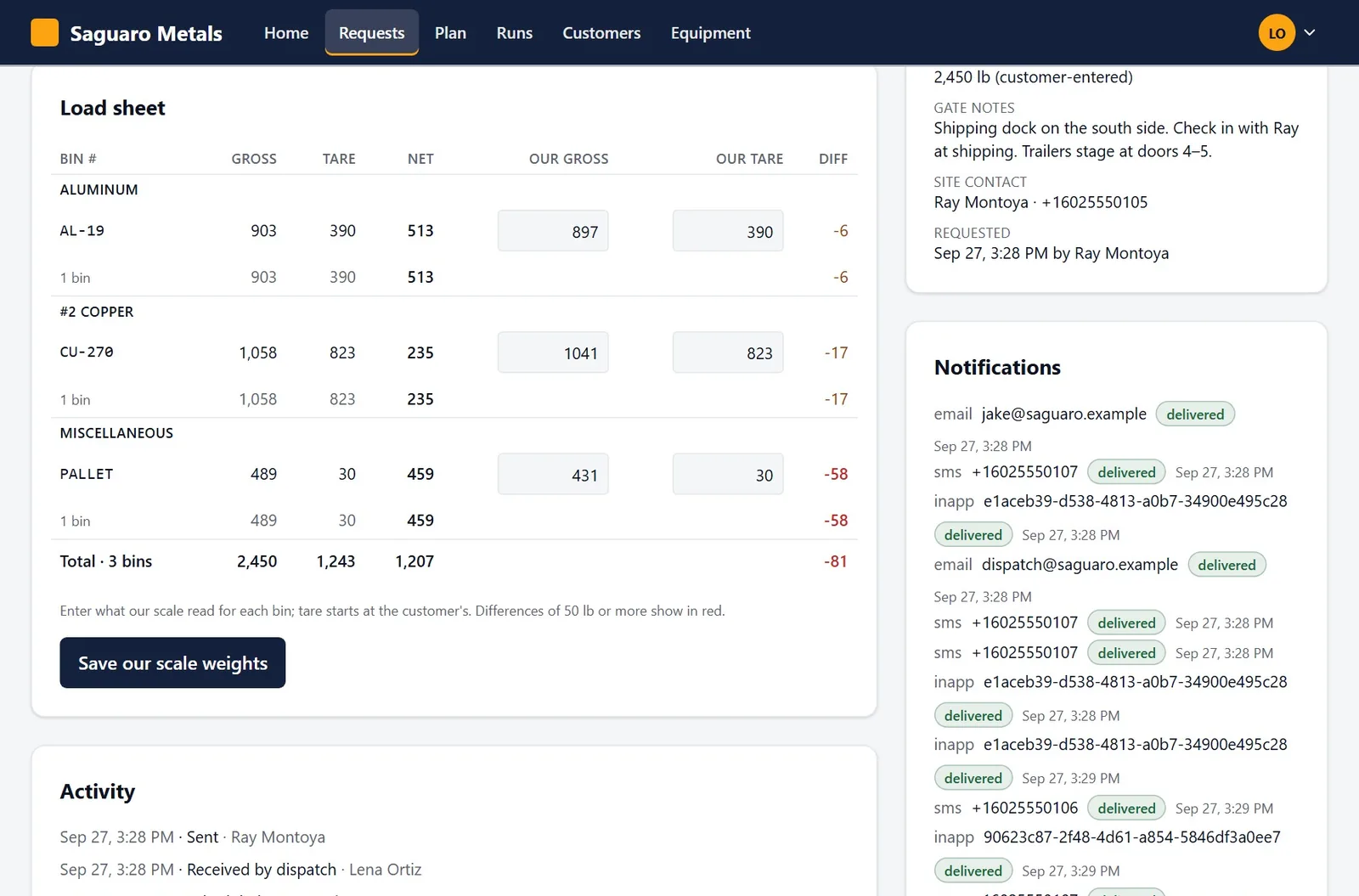
For customers who weigh their own loads, the ticket carries their gross, tare and net for every bin.
Your scale house enters what your scale read. BinCall works out the net and shows the difference for each bin, with differences of 50 pounds or more in red.
The customer is toldBoth sets of weights stay on the ticket.
Notifications
Who is told, and when
Every message sent for a request is listed on the ticket with its delivery status.
| When | Your side | The customer |
|---|---|---|
| A request is sent | Email to your dispatch inbox and the account's reps. Reps get a text when it is ASAP. | A receipt by text or email. Your after-hours message if it is outside business hours. |
| Dispatch accepts or declines | The request moves in the queue. | A text, an email or a notification on the phone, with the reason if it was declined. |
| The run is published | The run appears on the driver's phone. | The date, the window and the driver's first name. |
| The driver is on the way, then arrives | Dispatch sees the status on the request. | A text and a notification to everyone at that site. |
| The swap is done | Container records update. The request closes. | “Done,” with the container tags. |
| The customer cancels | Email to your dispatch inbox. | No message. They cancelled it themselves. |
Request a demo
See a full swap, start to finish
We walk you through one request on the real screens: the customer's phone, the dispatch queue, the driver's stops and the scale house. Bring the questions your dispatcher would ask.