
Customers
Your customers request a swap from the container they are standing next to
The plant's dock lead or maintenance manager opens BinCall on a phone and sees their own containers. Three taps send the request. From then on they are told what is happening without calling anyone.
Request a demo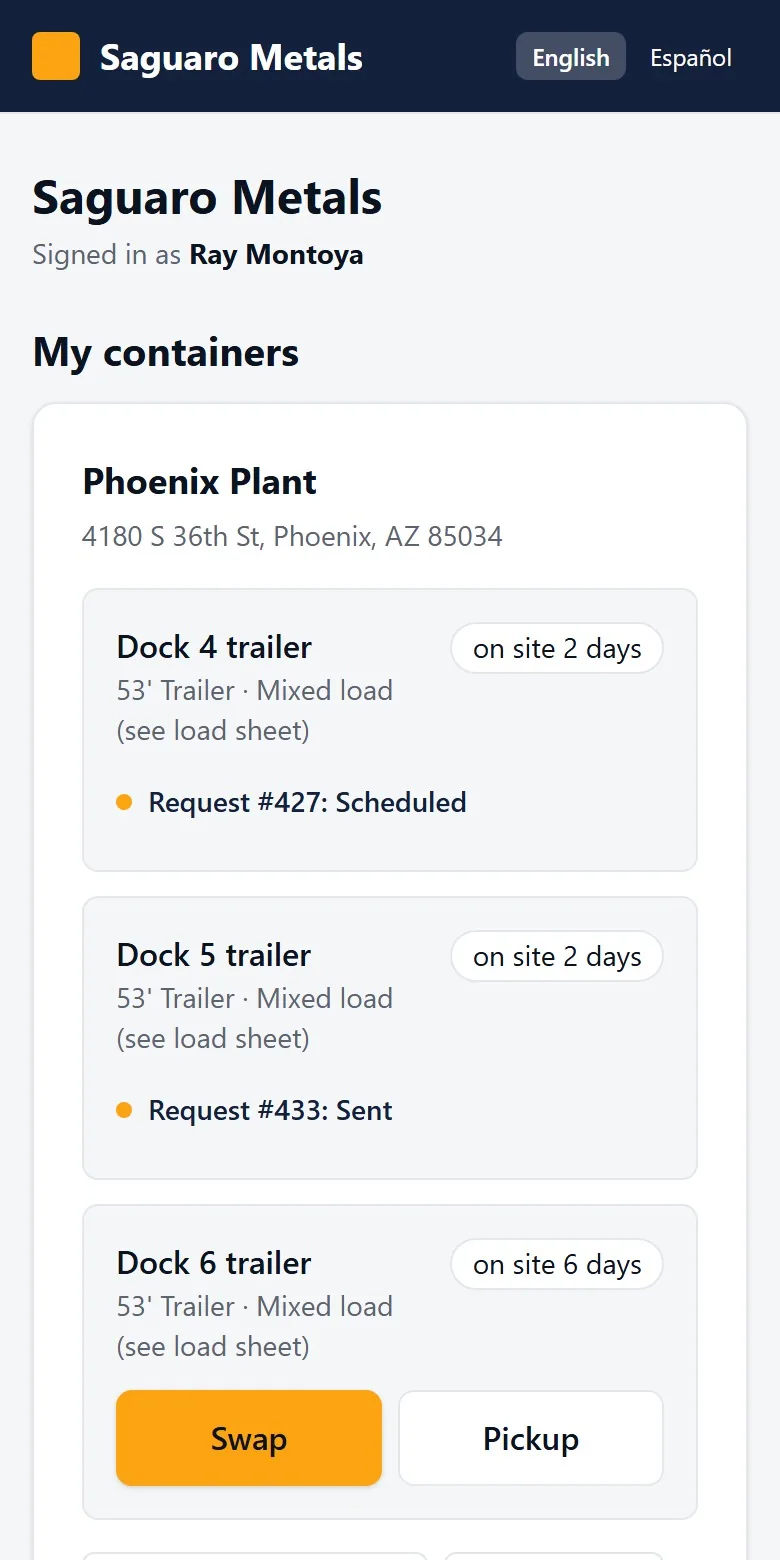
Today
What goes wrong without it
They call your rep's cell and hope the message reaches dispatch.
They are given a day, not a time, so they stage bins hours early or the driver waits.
They have no record of what they asked for or when.
The weights from their own scale live on paper.
The screens
What they see in BinCall
My containers
Each site they are responsible for, each container, its material and how many days it has been on site. Swap and Pickup sit on the container itself.
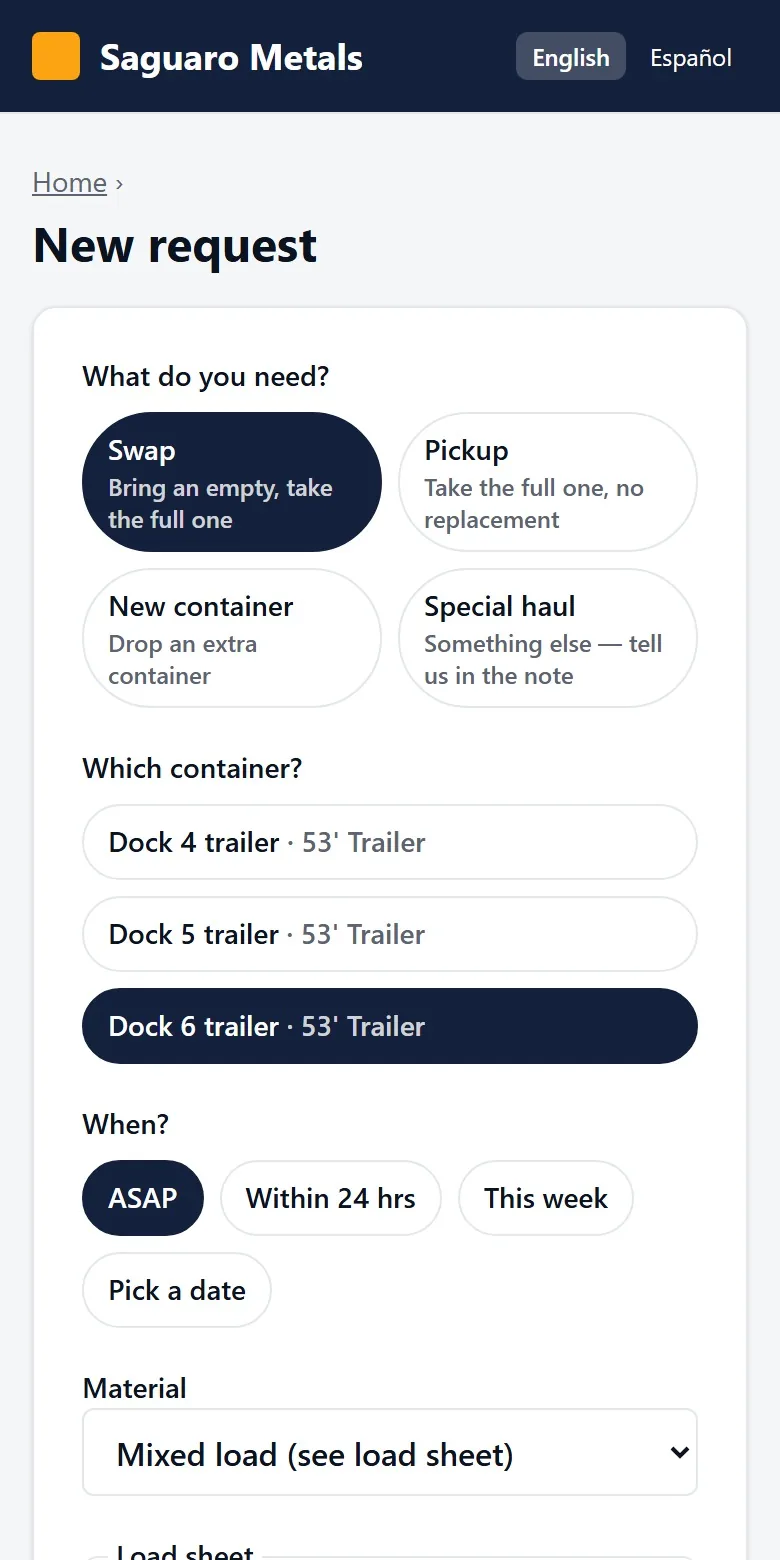
The request
What they need, which container, and when: ASAP, within 24 hours, this week or a date.
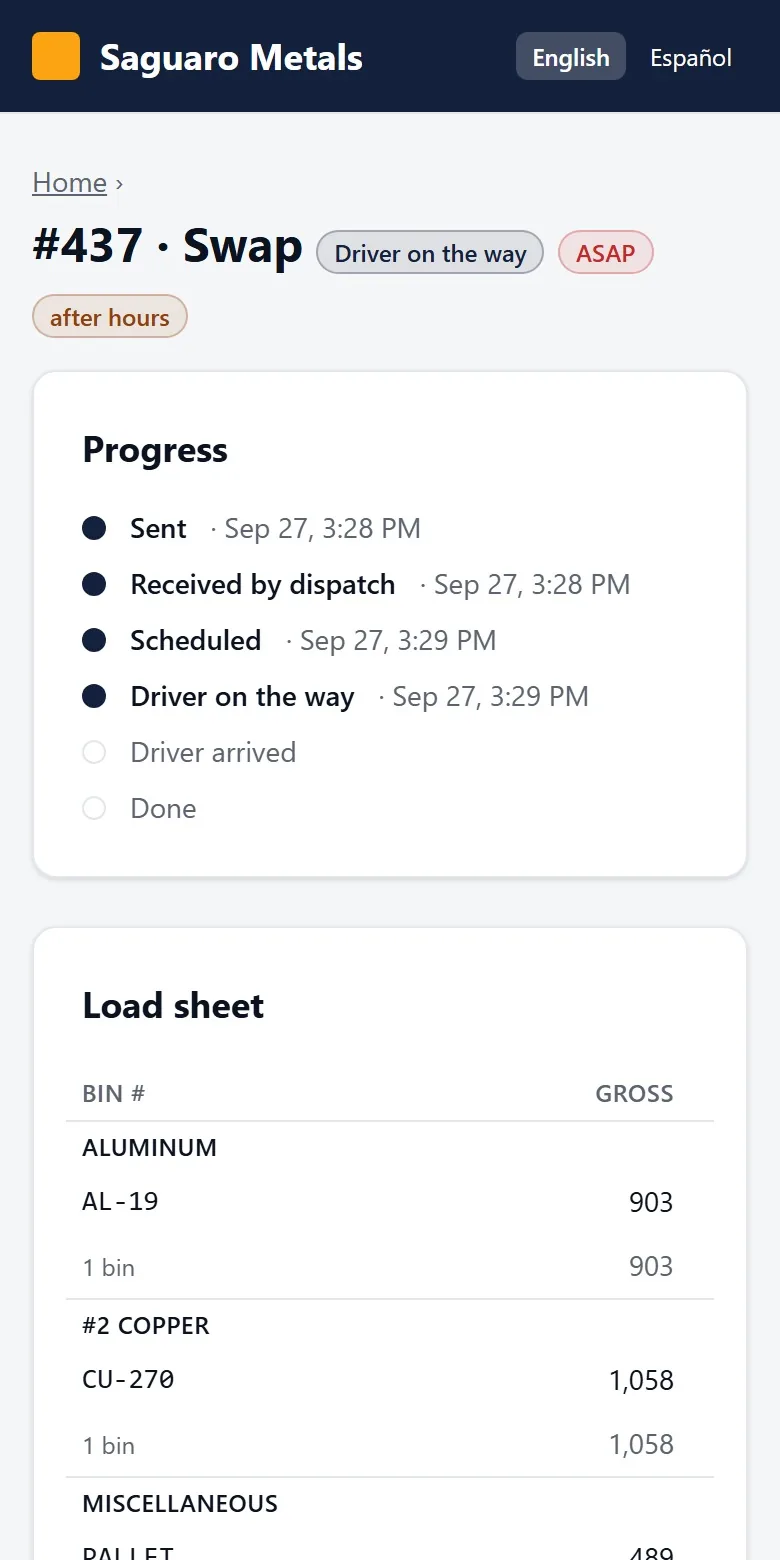
The progress line
Sent, received by dispatch, scheduled, driver on the way, driver arrived, done. The same updates arrive by text.
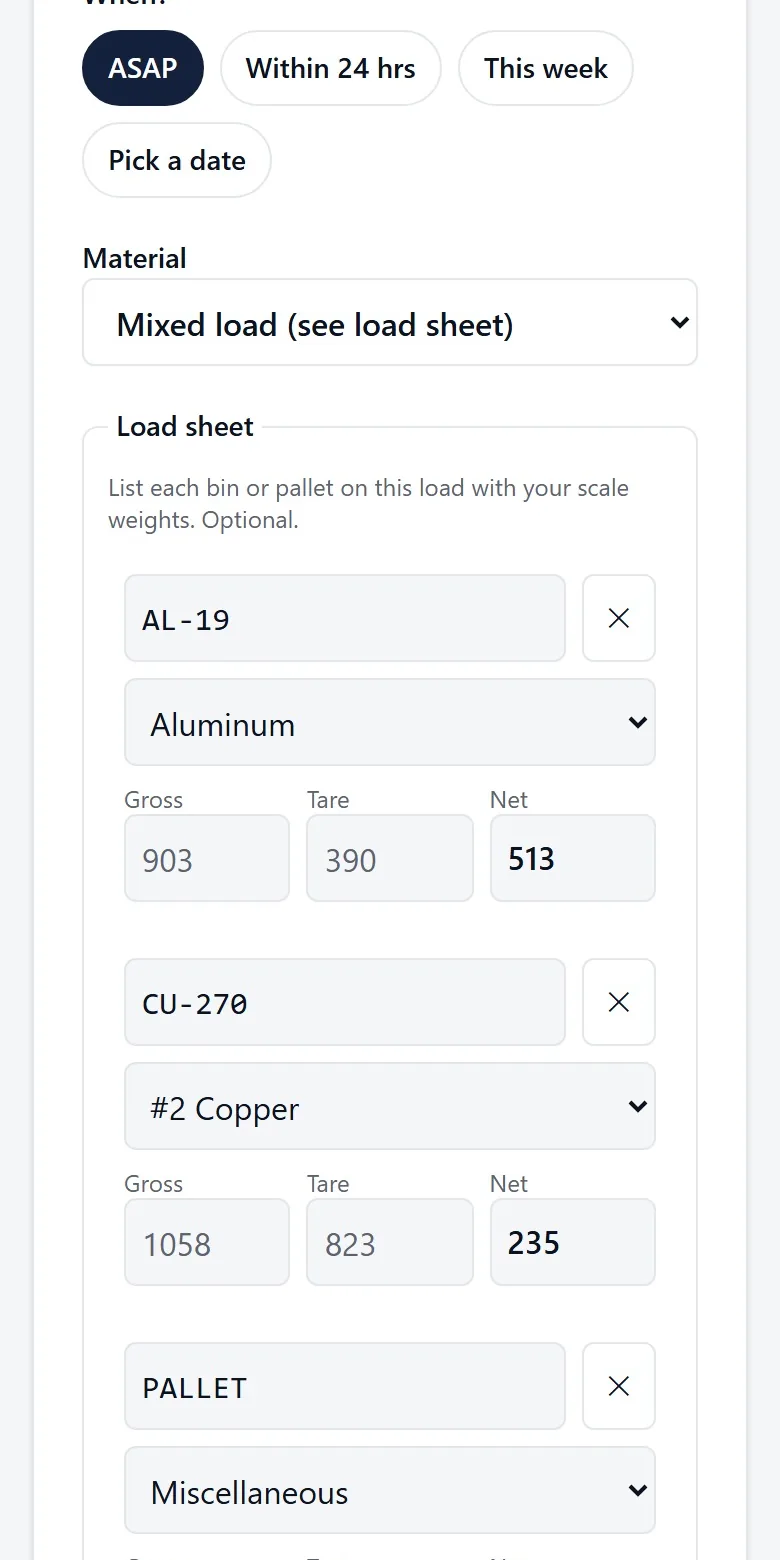
The load sheet
For plants that weigh their own loads: bin number, gross, tare and net for every bin, with a running total.
Capabilities
What it does
Their own containers only
Each contact sees only the sites assigned to them, with every container, its material and its days on site.
Four kinds of request
Swap, pickup, a new container or a special haul. You choose which ones your customers may send.
A ticket number
Every request gets one, so the phone, the email and any paper all refer to the same thing.
Told at every step
Receipt, schedule, arrival time and completion arrive by text, by email or as a notification on the phone.
No password, no app store
They sign in with a code texted to their phone, from a link you send them. They can add BinCall to the home screen.
English or Spanish
Each person chooses. Their texts and emails follow that choice.
Works without signal
A request sent from a dead spot is saved on the phone and goes out when the signal returns.
Free for your customers
Your customers pay nothing and install nothing. You invite them.
Request a demo
See a full swap, start to finish
We walk you through one request on the real screens: the customer's phone, the dispatch queue, the driver's stops and the scale house. Bring the questions your dispatcher would ask.